

Monkey Mart Unblocked
 Monkey Mart Unblocked
Loading game…
Play now

- Rating
- 7.2/10
- Published
- Technology
- HTML5
- Platforms
- desktop&mobile
Monkey Mart Unblocked
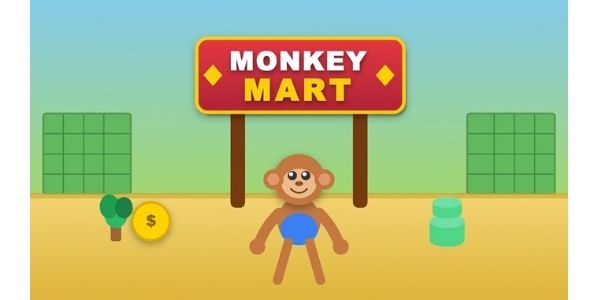
Monkey Mart Unblocked is a supermarket management game where you control a monkey that grows and collects products, carries them to the correct shelves, serves customers at checkout, earns money, hires workers, and gradually expands a tiny shop into a much busier mart. The main gameplay loop is easy to understand—harvest, stock, sell, collect cash, upgrade, and expand—but the challenge grows as you unlock more products and several parts of the store need attention at the same time.
Unlike a traditional business simulator filled with menus, most actions in Monkey Mart happen through movement. Walk close to crops to collect them, approach the matching shelf to restock it, move to the checkout when customers are waiting, and step onto upgrade areas when you have enough money. As the supermarket grows, workers can take over repetitive jobs so you can spend more time improving the parts of the store that are slowing everything down.

From One Product to a Busy Supermarket
Your first mart is deliberately simple.
You begin with a small production-and-sales loop that teaches the entire game:
Grow → Collect → Carry → Stock → Sell → Checkout → Earn
When a product is ready, move close enough to collect it. Your monkey carries the items until you reach the correct shelf, where they are stocked for customers.
Customers then enter the store, take what they want, and move toward the checkout.
At first, you can handle nearly everything yourself.
The difficulty begins when several things happen together:
- one shelf becomes empty;
- another product is ready to collect;
- customers begin forming a checkout line;
- a new station needs attention;
- and you are trying to save money for the next expansion.
That is when Monkey Mart changes from a simple movement game into a small time-management puzzle.
How to Play Monkey Mart Unblocked
The easiest way to play efficiently is to understand the flow of the store rather than running randomly between stations.
1. Collect Products
Move toward a crop, animal product, or production station when goods are ready.
Most actions trigger automatically when your character reaches the correct position.
2. Restock the Matching Shelf
Carry the products to the shelf that sells them.
Customers cannot keep buying an item if its shelf remains empty.
3. Watch the Checkout
Once customers have collected their products, they queue at the register.
If you do not yet have a cashier, you need to return to the checkout and process their purchases yourself.
4. Collect Your Earnings
Sales create the money that drives progression.
Do not think of cash only as a score. Its real value comes from reinvesting it into the mart.
5. Unlock New Areas
Spend money on marked upgrade and expansion areas to open new products, stations, workers, and sections of the supermarket.
Then the same loop begins again at a larger scale.
Monkey Mart Controls
One reason the game is easy to learn is that it uses very few controls.
Desktop
- WASD: Move
- Arrow Keys: Move
- Movement near a station: Perform the relevant action automatically
You normally do not need a separate harvest, stock, or checkout button. Moving into the correct area triggers the task.
Mobile
On touchscreen versions, drag or use the on-screen movement control to guide your monkey around the store.
The same location-based interaction system applies: move to the correct station and let the game perform the action.
Keep Products Moving, Not Just Shelves Full
A full shelf is useful, but efficient play is about the entire production chain.
Imagine that a shelf empties repeatedly.
The problem may not actually be the shelf.
It could be:
- the crop is being harvested too slowly;
- your carrying capacity is too small;
- the walk between production and shelf is too long;
- a worker is not keeping up;
- or customers are purchasing that product faster than you can replace it.
Instead of repeatedly fixing the final symptom, identify which part of the chain is causing the delay.
This becomes increasingly important once the supermarket has several products.
What Should You Upgrade First?
There is no single upgrade that is always best.
A stronger strategy is to upgrade the part of the mart that is currently creating the biggest bottleneck.
Upgrade Movement When…
You spend too much time walking between distant stations.
Improve Carrying Capacity When…
You are constantly making several trips to restock the same shelf.
Improve Production When…
Shelves stay empty because products are not becoming available quickly enough.
Hire Help When…
One repetitive job is taking so much time that you cannot manage the rest of the store.
The key question is simple:
What is stopping the supermarket from making more sales right now?
Spend money on that problem first.
Hiring Workers Changes the Game
As your mart expands, doing every job yourself becomes inefficient.
Workers help automate different parts of the supermarket.
The current game includes roles such as:
- Cashiers: handle checkout;
- Assistants: help collect products and refill shelves;
- Farmers: work with animal-related production;
- Chefs: prepare processed products such as popcorn, yogurt, and coffee.
Hiring staff does not mean you can stop paying attention.
Workers may still need management, and if one part of the store falls behind, you may need to step in personally.
The advantage is that automation frees you from repeating every basic task yourself.
Cashier or Stocking Help First?
If the checkout line is constantly pulling you away from the rest of the store, a cashier can be extremely valuable.
Once checkout is automated, you can spend more time:
- harvesting;
- restocking;
- unlocking new stations;
- checking weak production areas;
- and improving the store.
But if the register is already manageable and your biggest problem is empty shelves, improving stocking or production may give you more value.
Do not hire based only on what sounds useful.
Hire based on where you are losing the most time.
New Products Make the Store Harder to Balance
Expansion sounds automatically good because more products create more opportunities to sell.
But every new product also introduces another job.
A new section may require:
- its own production source;
- another stocking route;
- additional carrying trips;
- more worker attention;
- and another shelf that can run empty.
This is why unlocking everything as fast as possible is not always the strongest strategy.
A smaller mart that operates smoothly can be easier to manage than a large mart where half the shelves are constantly empty.
Expand when your current operation is stable enough to support the next product.
Processed Products Add Another Step
Later goods can involve more than simply collecting something and taking it directly to a shelf.
Processing stations add an extra stage to the production chain.
Instead of:
Harvest → Shelf
you may begin dealing with something closer to:
Collect ingredient → Process → Carry finished product → Stock → Sell
These extra steps make route planning more important.
If you are constantly crossing the entire store to complete one product, look at whether another worker or upgrade could reduce that workload.
Customers Tell You Where the Problems Are
You do not need a complicated analytics screen to understand whether the store is working well.
Watch what customers are doing.
If customers repeatedly reach an empty shelf, that product needs attention.
If the checkout line grows while the shelves remain full, the register is the bottleneck.
If you spend all your time transporting goods, your carrying capacity or staffing may be too weak.
The store itself gives you clues.
Use those clues before spending money randomly.
A Strong Early-Game Routine
For the first part of Monkey Mart, use a simple priority system.
Priority 1: Keep the Main Product Available
Your first reliable product creates the basic money loop.
Do not let it sit empty unnecessarily.
Priority 2: Clear the Checkout
Money only becomes useful once customers complete their purchases.
Return to the register before the queue becomes a constant distraction.
Priority 3: Buy Improvements That Save Time
An upgrade that reduces repeated walking or extra trips often gives you more value than expanding too early.
Priority 4: Unlock the Next Product
Once the existing loop works smoothly, add another source of revenue.
Priority 5: Automate Repetitive Tasks
When you notice yourself doing the same job over and over, consider assigning that workload to a worker.
Efficient Route Planning
Because movement activates most jobs, your route through the supermarket matters.
Try to combine several tasks into one trip.
Instead of:
- collect a product;
- stock it;
- run across the store;
- return immediately;
- then visit checkout;
look at what else can be completed along the same path.
For example:
- Collect a full stack.
- Restock the matching shelf.
- Pass another production station.
- Collect another item.
- Finish near the checkout.
- Collect money.
- Spend the earnings on a nearby upgrade.
The fewer empty trips you make, the more of your movement produces value.
Carry Full Loads When Possible
Making five small trips is usually less efficient than making one well-planned trip with a larger stack.
If carrying capacity becomes one of your biggest limitations, upgrading it can reduce the amount of time spent travelling between production and shelves.
However, do not wait unnecessarily for a perfect full load while several shelves are empty.
Efficiency is about balance.
Carry enough to make the trip worthwhile without allowing the rest of the mart to stop functioning.
When Should You Expand?
Before opening another area, check your current supermarket.
Ask:
- Are the shelves usually stocked?
- Is checkout under control?
- Are workers keeping up?
- Do I have enough spare money after the unlock?
- Can I manage another product without ignoring the current ones?
If most answers are yes, expansion makes sense.
If the existing mart already feels chaotic, another section usually adds more pressure.
Fix the current bottleneck first.
Common Monkey Mart Mistakes
Unlocking Too Much Too Quickly
More products do not automatically mean better management.
Better: stabilize existing shelves before adding another production chain.
Ignoring the Checkout
You may be busy stocking shelves while a large queue builds.
Better: check the register regularly until a cashier can take over.
Running With Tiny Loads
Repeated small trips waste movement.
Better: improve stack capacity or collect enough products to make each route useful.
Spending Money Without Identifying a Problem
Not every upgrade gives equal value at every moment.
Better: upgrade the exact task slowing down sales.
Doing Everything Yourself Forever
Manual work is fine early on but becomes inefficient as the store grows.
Better: automate repetitive tasks with workers.
Focusing on One Shelf Only
Fixing the same shelf repeatedly can make you ignore problems elsewhere.
Better: scan the whole mart before deciding where to move next.
What Makes Monkey Mart Different From a Normal Idle Game?
Monkey Mart has idle and incremental progression, but the main experience is still hands-on.
You are constantly moving between:
- crops;
- animals;
- production areas;
- shelves;
- checkout;
- workers;
- and upgrade points.
That means your decisions matter even after automation begins.
Workers reduce repetitive tasks, but you still control where your monkey goes and which part of the store receives attention next.
This mixture of active movement and gradual automation is a large part of what makes the game easy to understand but difficult to optimize perfectly.
A Better Strategy for a Busy Mart
When several tasks need attention at once, use this order:
1. Prevent the Most Valuable Shelf From Staying Empty
A stocked product can continue generating purchases.
2. Stop Checkout From Becoming a Bottleneck
Customers that have already selected products still need to complete the sale.
3. Restore Production
If there is nothing ready to carry, restocking will eventually stop.
4. Help Weak Workers
Take over whichever job has fallen behind.
5. Expand Only After the Store Stabilizes
New content is useful only when the existing operation can support it.
This approach gives you a repeatable decision process instead of running toward whichever animation catches your attention first.
Monkey Mart Unblocked and Browser Searches
Players searching for Monkey Mart Unblocked, MonkeyMart Unblocked, Monkey Market Unblocked, or Unblocked Monkey Mart are usually looking for browser access to the same supermarket-management game.
The word “unblocked” does not describe a different mart, product set, or game mode.
The core gameplay is still based on producing goods, stocking shelves, serving customers, earning money, upgrading the store, and hiring workers.
Searches such as Monkey Mart Unblocked Games, Monkey Mart Game Unblocked, Unblocked Games Monkey Mart, and Monkey Mart Unblocked Game express essentially the same intent, so they do not need separate repeated explanations throughout the page.
Monkey Mart GitLab and GitHub Searches
You may also see searches such as Monkey Mart GitLab, MonkeyMart GitLab, Monkey Mart GitLab IO, Monkey Mart GitHub IO, or Monkey Mart Unblocked GitHub.
Those phrases generally refer to players looking for a particular host or mirror rather than a special version of Monkey Mart.
They should not be confused with gameplay features.
The actual game mechanics remain focused on managing and expanding the supermarket.
What Is “Monkey Mart Unblocked 2025”?
Monkey Mart Unblocked 2025 still appears in search data even though 2025 has already passed.
It is an older year-specific search phrase rather than the name of a separate Monkey Mart edition.
There is no reason to treat it as a unique mode or repeat the outdated year throughout the page.
Monkey Mart No Ads Searches
Some players specifically search for Monkey Mart no ads when they want fewer interruptions while playing.
Advertising can depend on the site or version hosting the game rather than being a core gameplay feature, so an ad-free claim should only be made when the specific version being played genuinely offers it.
Tips for Growing Your Mart Faster
- Keep your strongest-selling shelves stocked.
- Do not unlock new sections while your current store is already struggling.
- Combine several jobs into each trip across the mart.
- Upgrade carrying capacity when repeated stocking trips become a major problem.
- Hire a cashier when checkout repeatedly interrupts everything else.
- Use workers to remove repetitive jobs, not simply because an employee is available.
- Watch empty shelves to identify weak production chains.
- Spend money on the biggest bottleneck first.
- Keep enough cash available for useful unlocks instead of buying every small improvement immediately.
- Learn where every product belongs so you stop wasting movement searching for shelves.
- Step in when a worker falls behind instead of waiting for the problem to fix itself.
- Stabilize each expansion before moving to the next one.
Monkey Mart Unblocked FAQ
What is Monkey Mart?
Monkey Mart is a supermarket management game by TinyDobbins where you grow or collect products, stock shelves, serve customers, earn money, hire workers, and expand your store.
What is the main goal in Monkey Mart?
Your goal is to grow a small mart into a larger, more efficient supermarket by keeping products available, completing sales, reinvesting earnings, unlocking new stations, and automating repetitive jobs.
How do you play Monkey Mart?
Move next to products to collect them, carry them to the matching shelves, let customers shop, serve the checkout, and use your earnings to buy upgrades and expansions.
What are the Monkey Mart controls?
Use WASD or the Arrow Keys on desktop. Most tasks activate automatically when you stand close to the correct crop, shelf, machine, checkout, or upgrade area.
Do you need to click repeatedly in Monkey Mart?
No. The game is mainly movement-based. You normally activate jobs by moving your character into the correct position rather than repeatedly pressing an action button.
Can you hire workers?
Yes. Workers can take over repetitive supermarket jobs, including checkout, stocking, harvesting, animal-related production, and preparing processed goods.
What should I upgrade first?
Upgrade whichever part of your supermarket is currently slowing down sales. That might be movement speed, carrying capacity, production, staffing, or another bottleneck.
Should I unlock new products immediately?
Not always. If the current shelves and checkout are already difficult to manage, another product can create more work. Stabilize the existing operation first.
Why do my shelves keep becoming empty?
Either customers are buying faster than you restock, production is too slow, you carry too little per trip, or your workers cannot keep up. Identify which stage is causing the shortage.
What does Monkey Mart Unblocked mean?
It is a search phrase used for browser-accessible versions of Monkey Mart. It is not a separate gameplay mode.
Is MonkeyMarket Unblocked a different game?
Searchers sometimes use monkey market unblocked when looking for Monkey Mart. On this page, the game being discussed is Monkey Mart by TinyDobbins.
What is Monkey Mart Unblocked 2025?
It is an older year-specific search phrase. It does not represent a unique 2025-only gameplay mode.
What is Monkey Mart GitLab or GitHub?
Those phrases usually refer to a particular hosting location or mirror players are trying to find, not a special version of the supermarket game.
Can you play Monkey Mart on mobile?
Monkey Mart supports touch-based play in versions designed for mobile, and Poki currently lists it within its browser game ecosystem with mobile-related support.
What is the best strategy once the mart becomes busy?
Prioritize the biggest bottleneck: keep important shelves supplied, prevent checkout from becoming overloaded, maintain production, and use staff to automate whichever task consumes most of your time.
Is Monkey Mart an idle game?
It includes idle and incremental-management elements, but you remain actively involved by moving around the supermarket, stocking, collecting, upgrading, and deciding what needs attention next.
Similar Games To Monkey Mart Unblocked.
Crossy Road Unblocked — Switch from store management to pure timing in Crossy Road Unblocked, where every hop depends on reading traffic, trains, and moving hazards before you commit.
3×3 Obby — If you want something more active, 3×3 Obby mixes precise parkour jumps with quick multiplication decisions across colorful obstacle courses.
Dead Plate — Step into a darker kind of management game in Dead Plate, where restaurant shifts, customer service, character dialogue, and a disturbing mystery unfold across one tense week.


















Comments